SMS keyword
Receive SMS messages with a keyword and automate your communication in inMobile. Let your customers sign up for events, participate in competitions or start an SMS flow with keywords and shortcodes.

What is a keyword?
A keyword is a specific word linked to your inMobile account that customers send to a 4-digit number – also known as a shortcode. When a customer sends your keyword to the correct shortcode, it can automatically trigger an action such as a list subscription, poll, competition, or an SMS flow.
Keywords are often used for things like lead generation, competitions, and surveys, where mobile users need to quickly and easily communicate with your business from their phone.
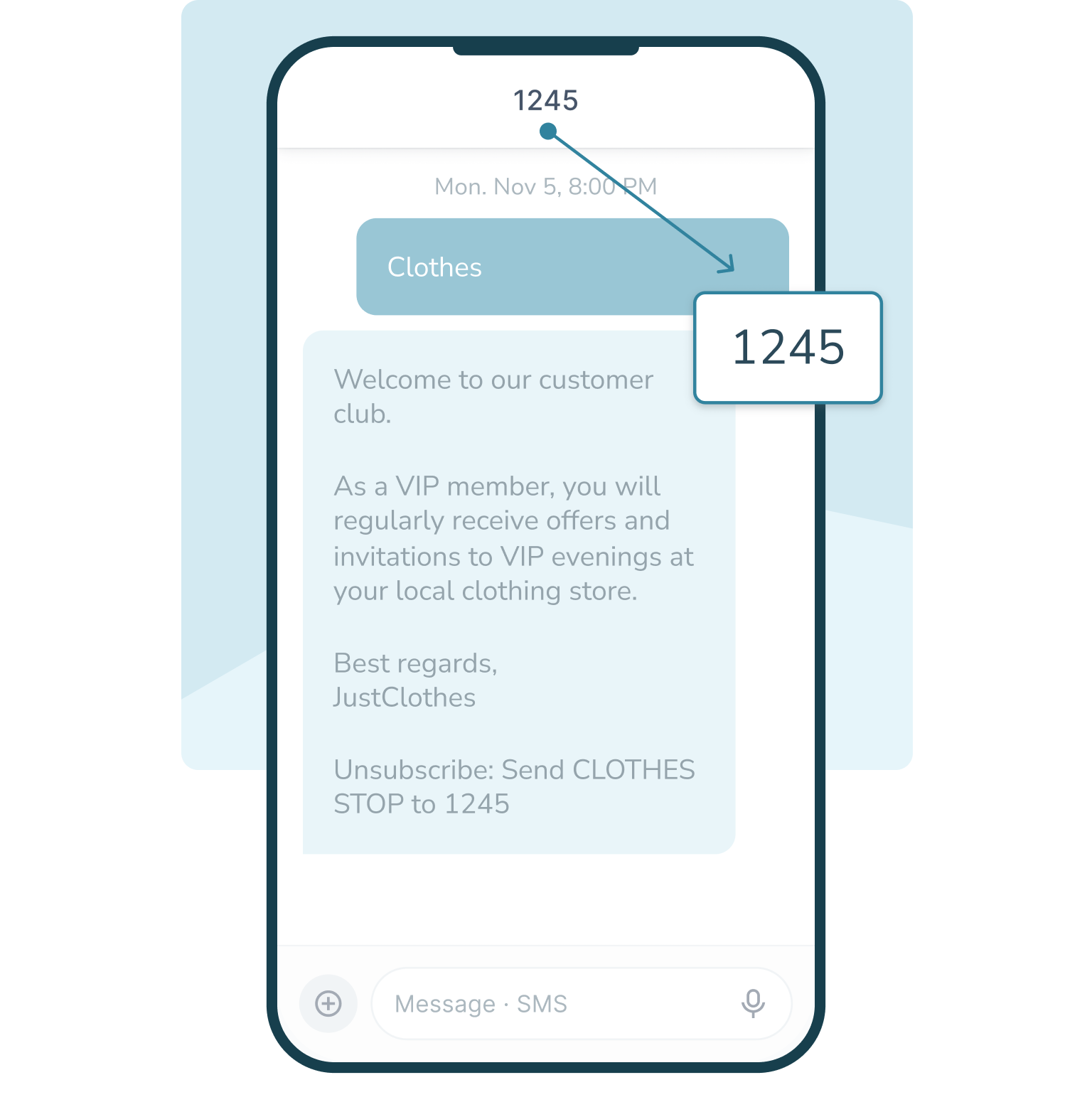
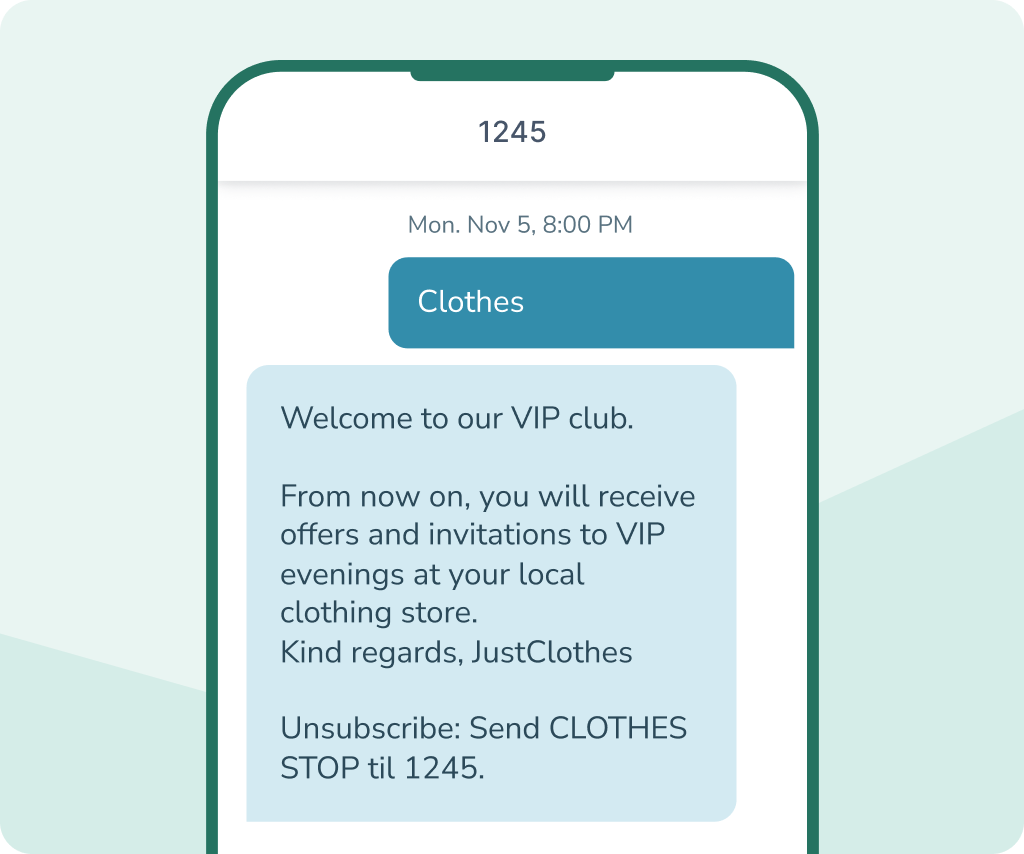
For example, if you have a customer club, customers can sign up by sending a keyword like TØJ to 1245.

Quick and easy sign-up
Automated SMS flows
Create engagement and interaction


Get a keyword
Order your keyword from inMobile and get started quickly.
See how in this guide to creating a keyword or contact us to learn more.

How a keyword works
Keywords work by the mobile user sending a specific word to a 4-digit number – a shortcode – via SMS. When your keyword is received, an SMS flow or an action in inMobile can be automatically initiated.
For example, this could be:
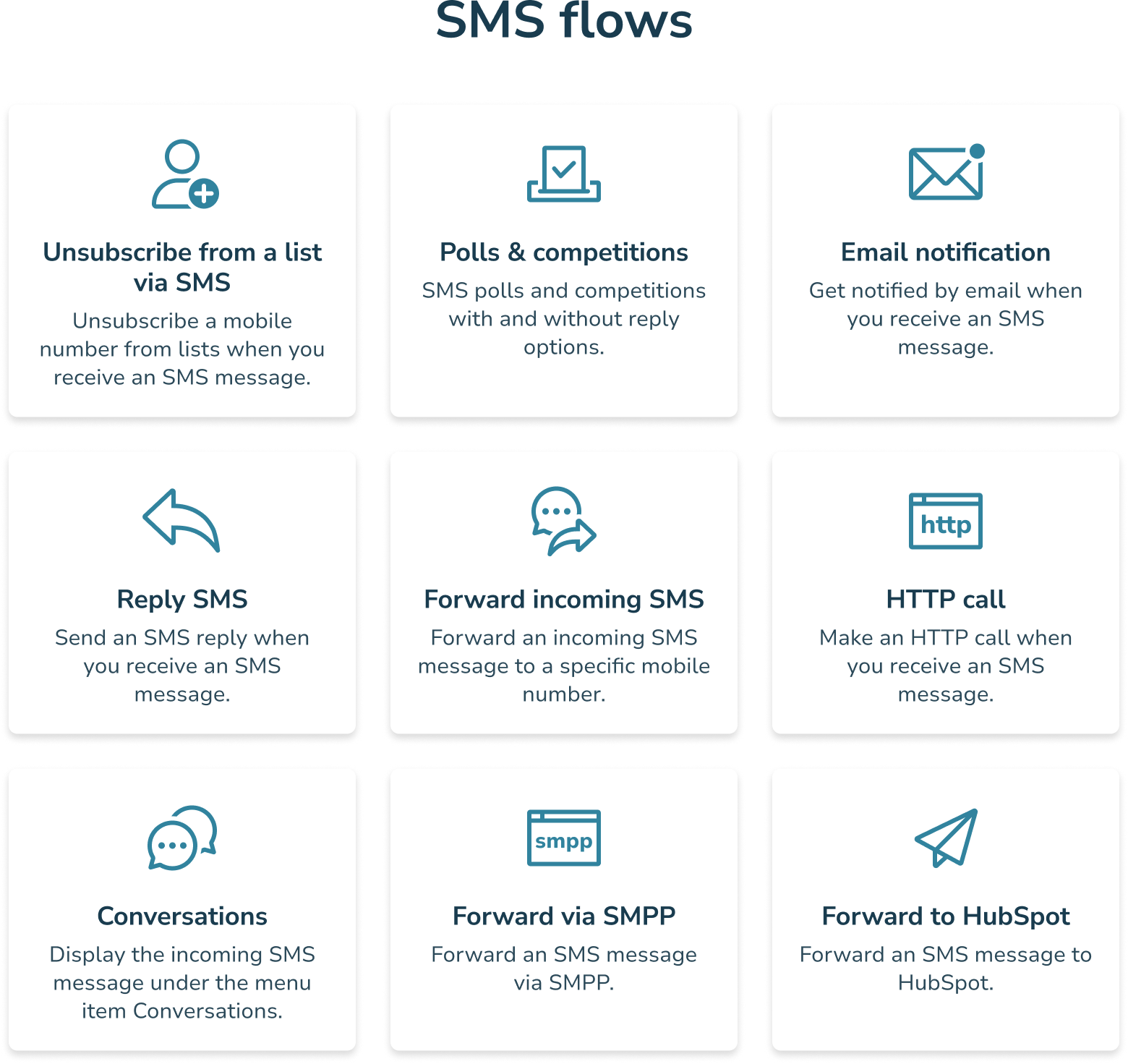
- Subscribe or unsubscribe from an SMS list.
- Signing up for an event or customer club.
- Participation in competitions and polls.
- Sending automatic reply messages.
- Initiating a customer service flow.
Do you want to work with keywords and shortcodes? See how in our guide: How to create a keyword.
International Keywords
The 4-digit number (your shortcode) varies by country, meaning you cannot receive SMS messages on the same shortcode from international mobile numbers. At inMobile, we offer local shortcodes in multiple countries, allowing you to work with keywords internationally.
Contact us if you'd like to learn more about international keyword options.

Unlock your new opportunities with innovative integrations


What can you use a keyword for?
Competitions
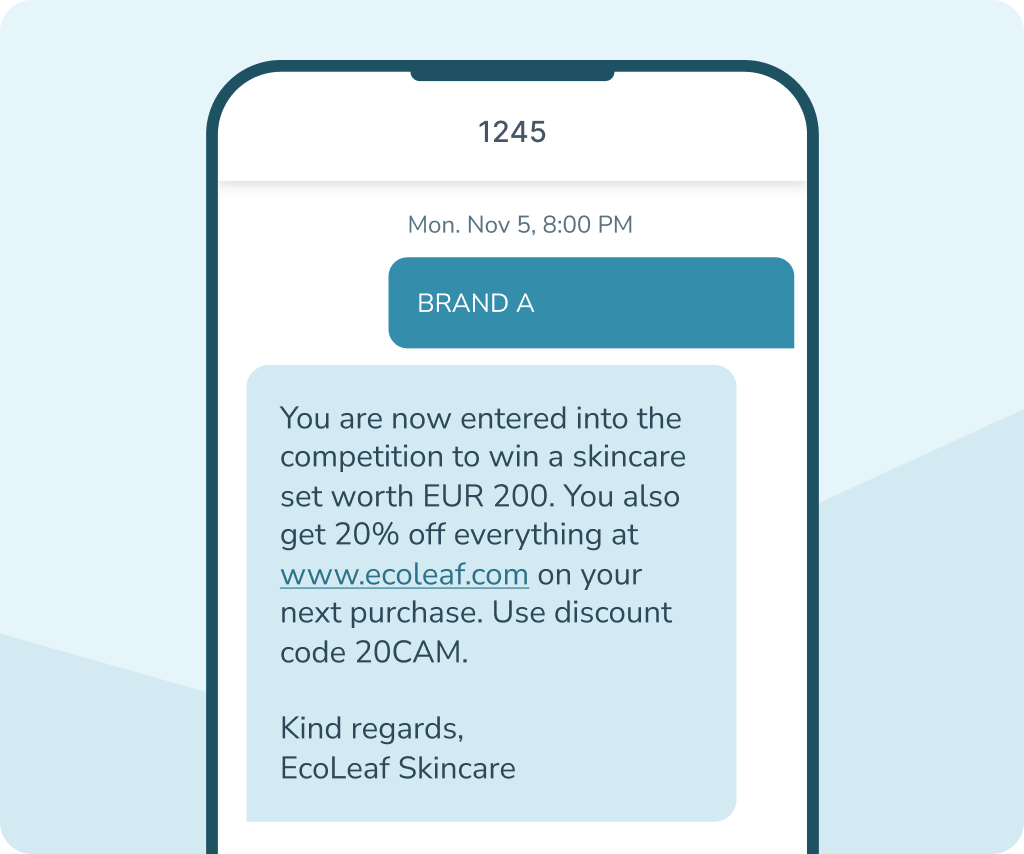
Keywords are often used in SMS competitions, where the customer can, for example, participate by sending your keyword followed by their answer. This allows them to enter your contest directly from their mobile without using apps, forms, or logins.
SMS competitions can be used to generate awareness and engagement across, for example, events, stores, or outdoor campaigns. Participation and responses can be handled automatically in inMobile.
Sign-ups and events
With keywords, your customers can easily sign up for events, newsletters, waiting lists, membership clubs, or other activities via SMS. The customer simply sends your keyword to your shortcode, after which the registration can be handled automatically in inMobile.
Keywords are often used for events, conferences, membership clubs, and campaigns where registration needs to be quick, simple, and completable directly from a mobile phone.
Polls
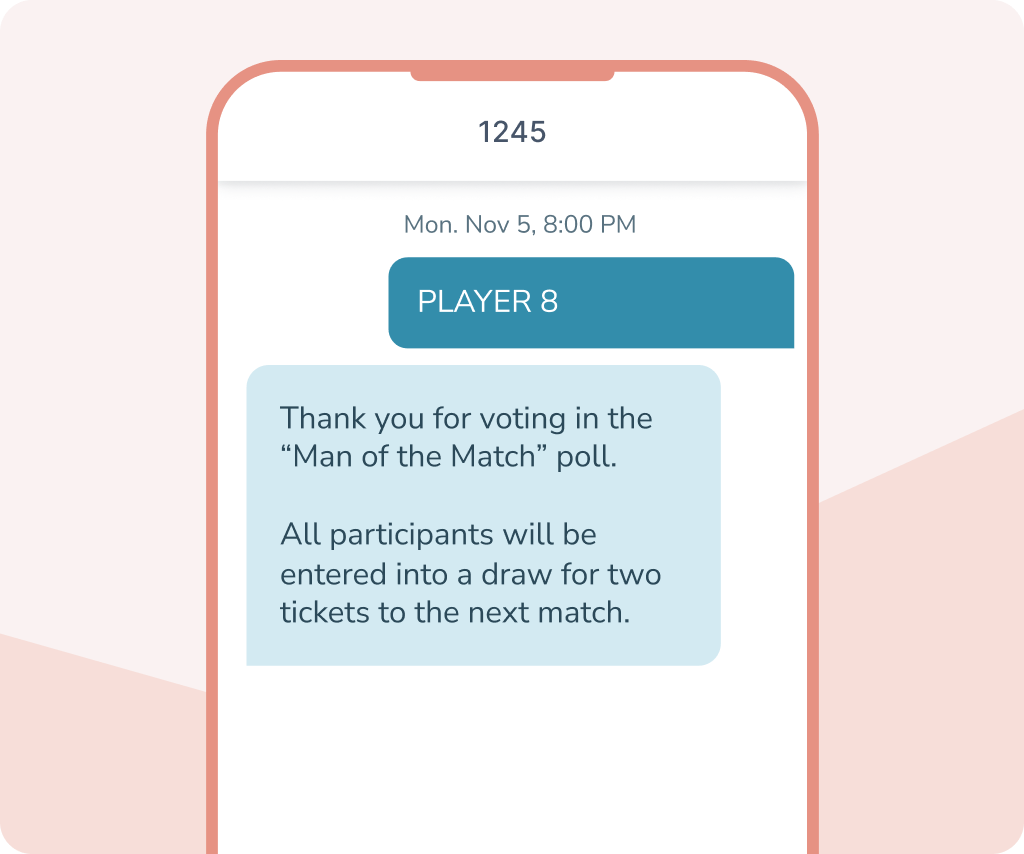
Keywords are ideal for polls where your customers or participants need to vote quickly via their mobile phone. For example, they can be used for competitions, events, live shows, or internal polls.
By using different keywords, you can register and automate responses directly in inMobile and create high interaction among participants.
Campaigns
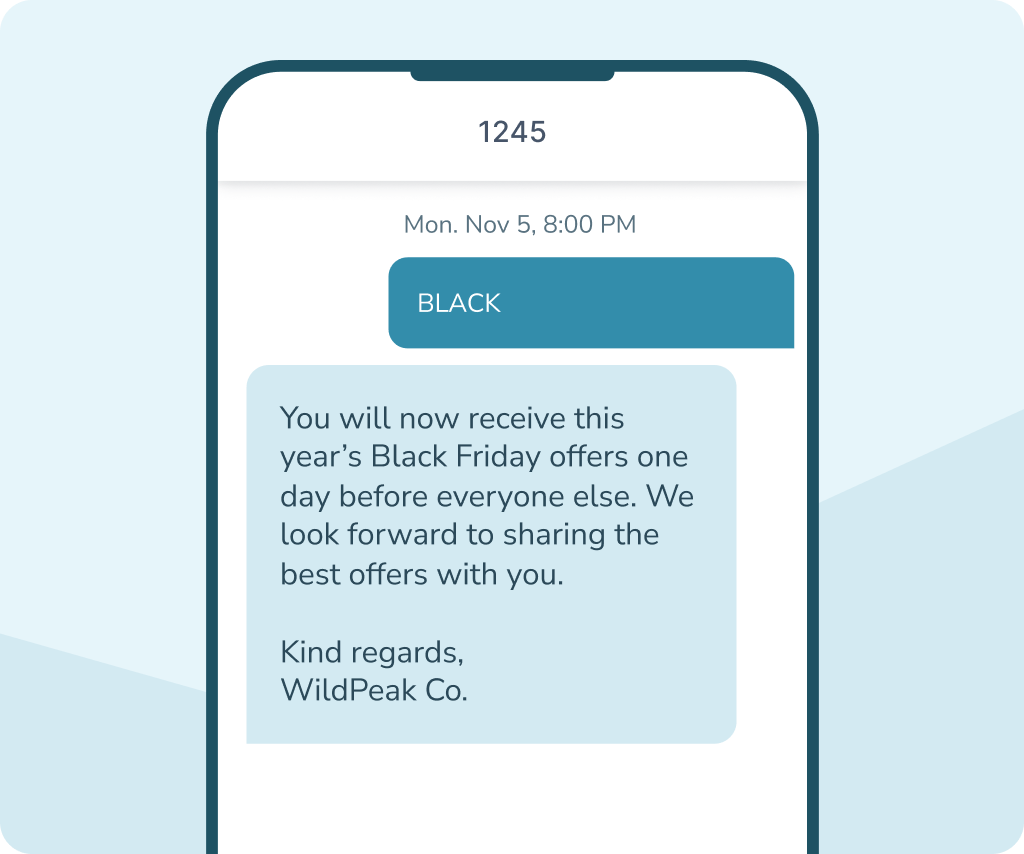
Keywords can also be used as part of SMS campaigns where the customer needs to actively interact with your business via their mobile phone. For example, to receive an offer, get access to a discount code, or sign up for an event via SMS.
Many businesses use keywords in conjunction with ads, TV commercials, flyers, or outdoor campaigns, where it needs to be quick and easy to respond immediately. This creates high interaction, and you can easily automate parts of the campaign in inMobile.


Keyword, virtual number, or sender name?
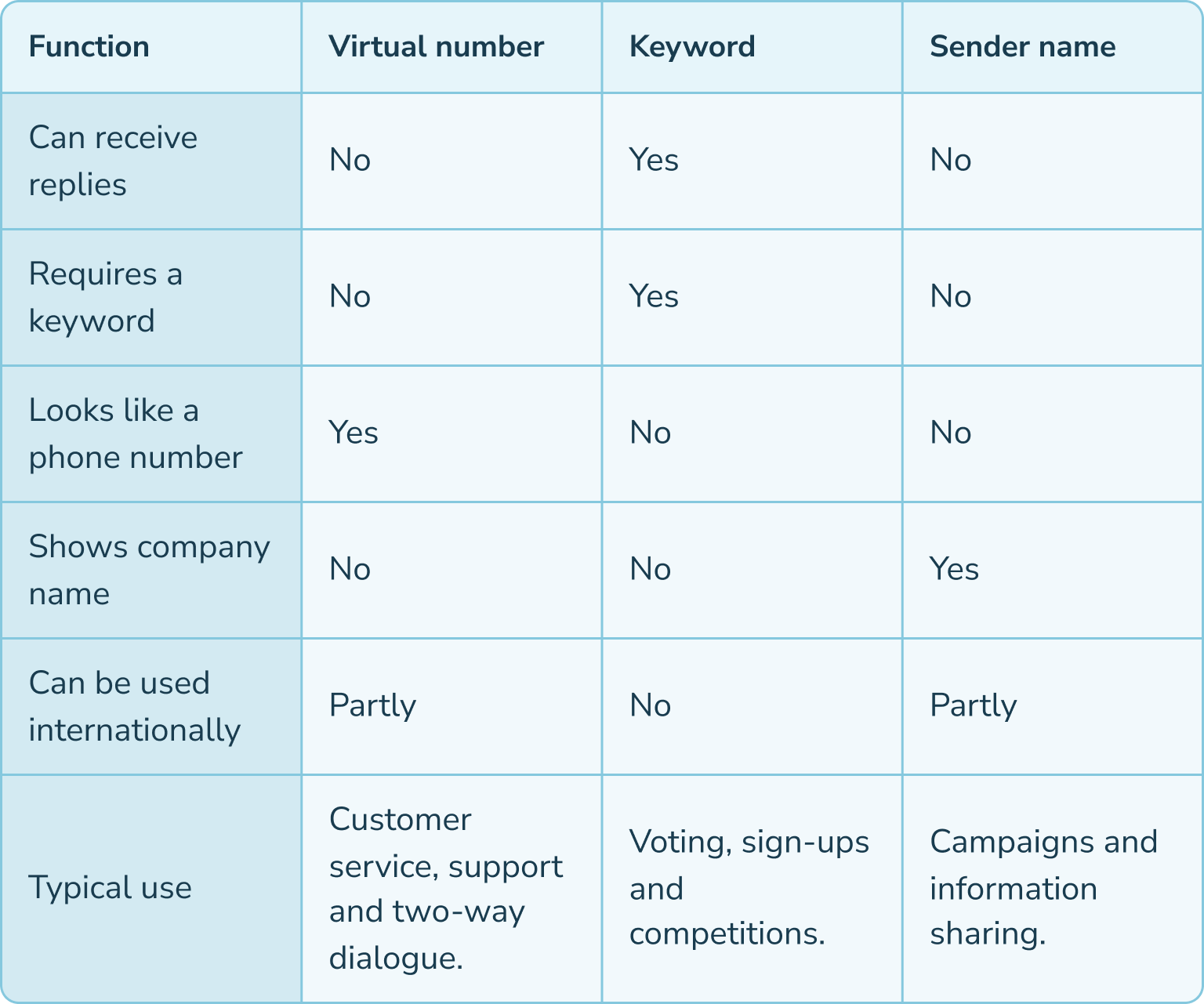
There are several different ways for businesses to send and receive SMS messages, and the right solution depends on how you wish to communicate.
Keywords sent to your shortcode are a good solution for competitions, registrations, and surveys, among other things. However, if you need more direct dialogue, a virtual number is often a better solution. Here, customers can freely reply to your SMS messages just like with a regular phone number.
If you only need to send information or campaigns without the option for replies, you can instead use a sender name, where your company name appears as the sender of the message.
Why choose inMobile for virtual numbers?
99.998% uptime
24/7 on-call support
+300 million SMS messages
GDPR-Compliant
Hosting in the EU
+35,000 users
The price for a keyword
The price for a keyword depends on how it will be used and in which country.
At inMobile, you always pay a fixed monthly subscription fee for access to the entire platform, including all features. In addition, you pay for your keywords or virtual numbers, as well as the SMS messages you actually send.
- SMS to +200 countries
- Access to all features
- Unlimited contacts and users
- Free email, phone, and chat support
- 24/7/365 on-call support
FAQ: SMS Keyword
A keyword is a specific word that your customer can text to a 4 or 5-digit number – also known as a shortcode. When the keyword is received, it can automatically trigger an action in inMobile, such as registration for an event or participation in a competition or poll.
A sub-keyword is an extension of an existing keyword. It allows you to activate several different actions on the same shortcode without having to create a new keyword.
For example, if your keyword is "BAKESHOP", you can create a sub-keyword like "BAKESHOP UNSUBSCRIBE" for unsubscribing or "BAKESHOP MUFFIN" for a specific campaign or competition.
You can create an unlimited number of sub-keywords, and they are free to use.
Keywords are often used for competitions, events, registrations, and polls, where customers need to be able to interact quickly and easily via SMS.
A keyword is used with a 4- or 5-digit shortcode, requiring the mobile user to send a specific word to initiate an action. In contrast, a virtual number operates like a standard phone number, allowing customers to reply to your SMS messages without restriction.
Yes. Keywords and shortcodes are available in many countries, but the options depend on local regulations and mobile operators. At inMobile, we help you find the right solution for the markets you want to reach.
Yes. At inMobile, you can create and manage multiple different keywords simultaneously. This allows you to work with multiple campaigns, competitions, events, or SMS flows on the same shortcode.
The price of a keyword varies from country to country. At inMobile, you also pay a fixed monthly subscription that includes access to all of inMobile's features, as well as for the SMS messages you send.