RCS marketing – from text to experience
Capture your customers’ attention with visual, branded messages that go beyond being seen – they turn your communication into action.


RCS marketing brings your messages and communications to life
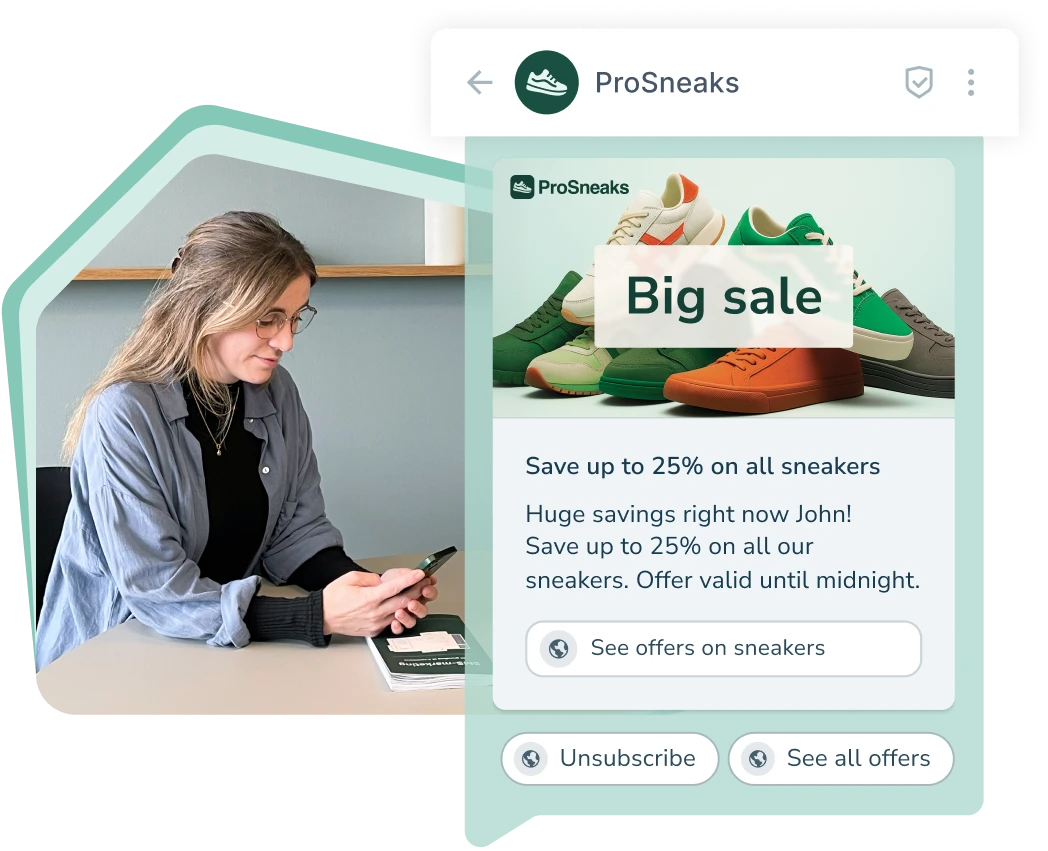
With RCS messaging, your communication becomes more than text. It becomes small, visual experiences that capture attention and prompt customers to act immediately.

Visual messages that get noticed
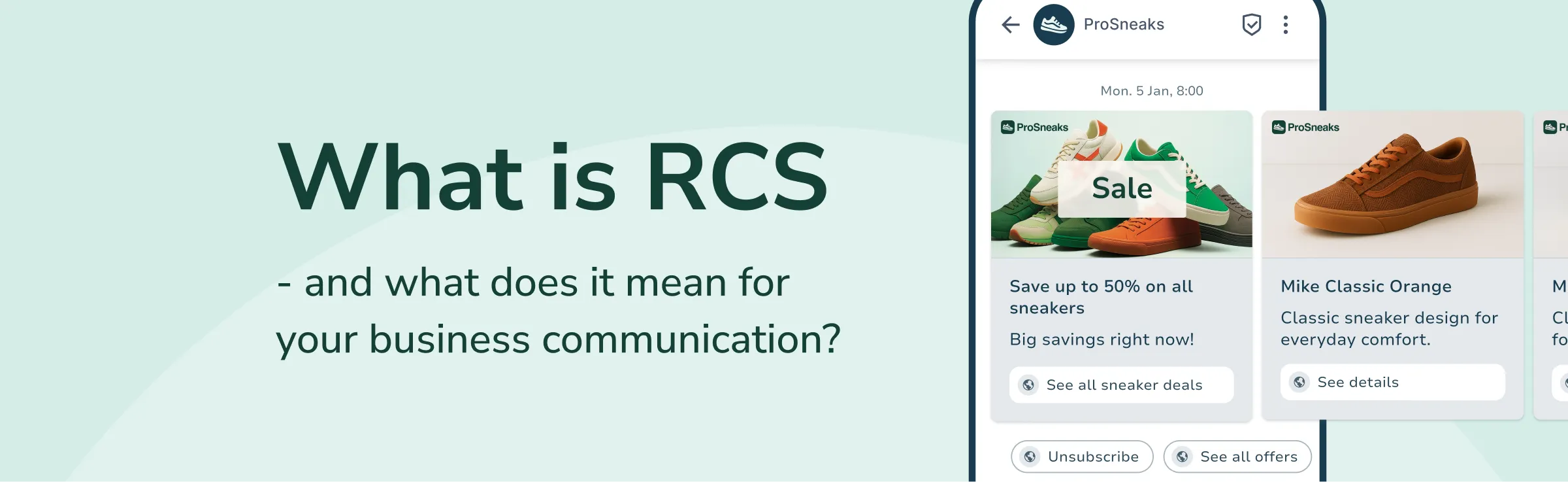
Show products, images and videos directly in the message.
Interactive CTAs that drive action
Use buttons that encourage customers to buy, reply or click.
More trust with branded and verified senders
Ensure safe engagement with your logo, brand name and verification badge.
Data and insights that strengthen your flows
Track opens, clicks and interactions – and optimise your performance.
+35,000 users have already chosen inMobile




RCS inspiration - just one click away.
Get inspiration, tips and knowledge about RCS
RCS marketing that activates and engages
With RCS, the path from interest to purchase becomes shorter. Visual products, clickable buttons and verified branding create faster reactions and higher engagement.
74 %
80 %
98 %
79 %
Do more with RCS
RCS possibilities
RCS gives you a new way to build campaigns and marketing flows.
Do you want to showcase your products or present offers with images and videos? Should customers be able to tap a CTA button? Or would you like to make conversations more dynamic with quick reply options?
Create marketing experiences that engage and convert — directly in the recipient’s messaging app.
With RCS in inMobile, you can do all this — and more.
- RCS campaigns
- Marketing automations
- Customer dialogue
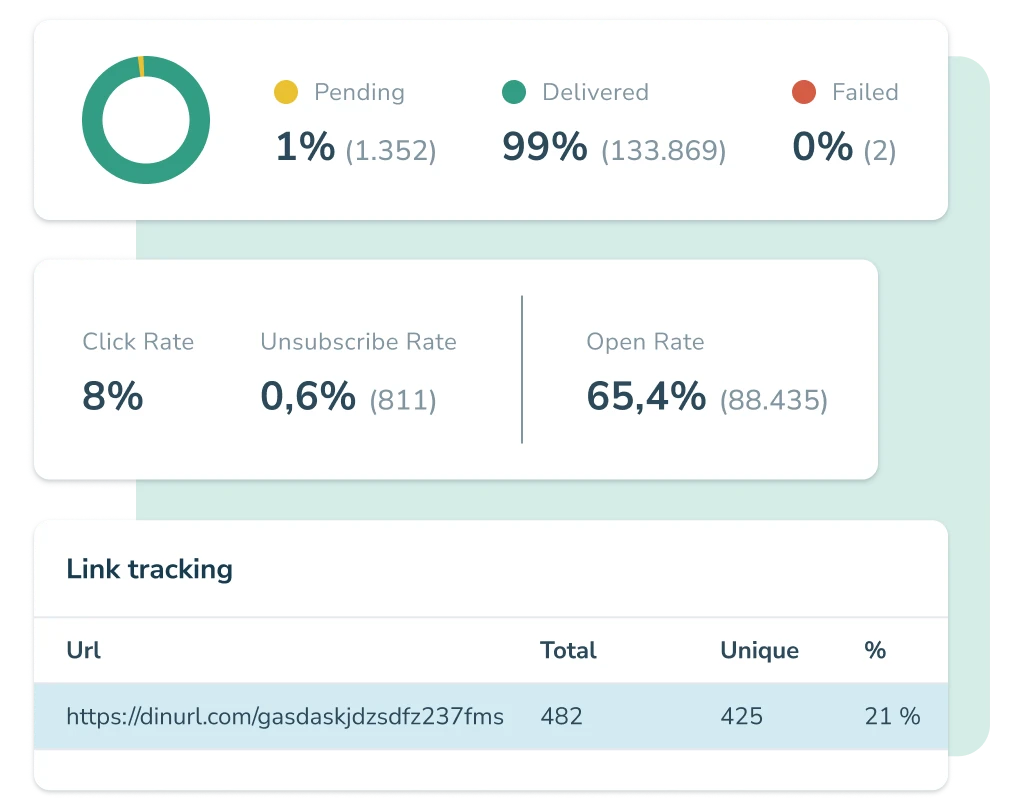
- Carousels and buttons
RCS data and insights
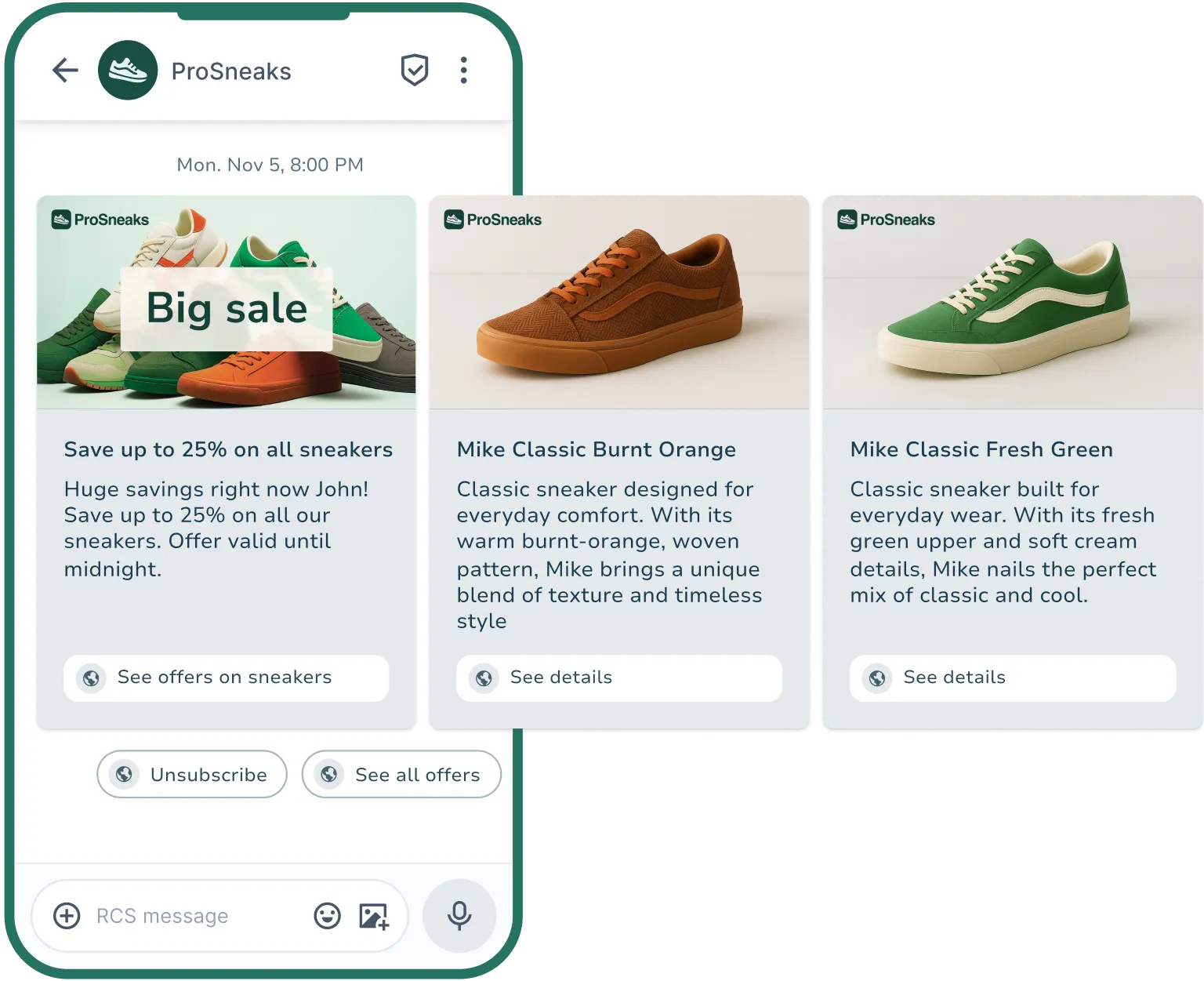
With RCS for Business, you gain access to a wide range of actionable insights.
For example, you can see how customers engage with your campaigns using data such as open rates, click rates, opt-outs, and delivery insights.
Link tracking also provides information on which buttons and links customers click on the most.
This gives you a strong foundation to optimise and make every campaign more relevant and effective.
- Open rates
- Click rates
- Link tracking
- Delivery info
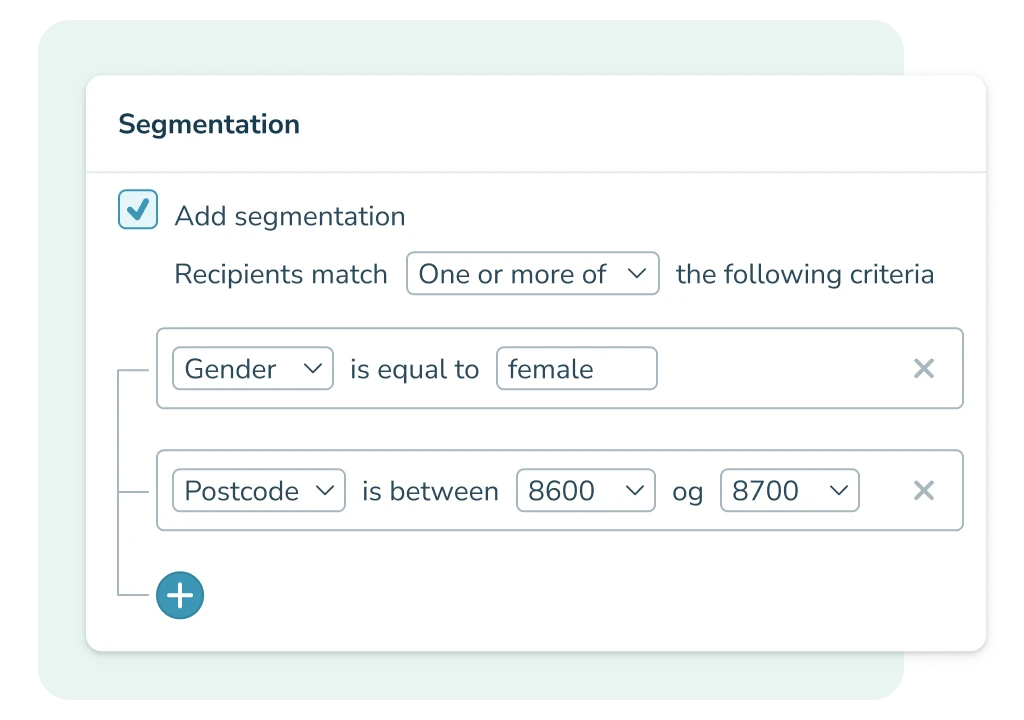
Segmentation and personalisation
RCS enables you to send hyper-relevant campaigns—if you have the right data.
By combining your customer data with the visual RCS format, you can target messages based on behaviour, purchase history, interests and customer status so that each recipient gets a personalised experience.
The better the data you work with, the more precisely you can tailor, segment and target your RCS messages. And when the content feels personal, both engagement and conversion increase.
- Segment your recipients
- Target your messages
- Ensure personalised messages
- Create trigger-based flows
SMS Options
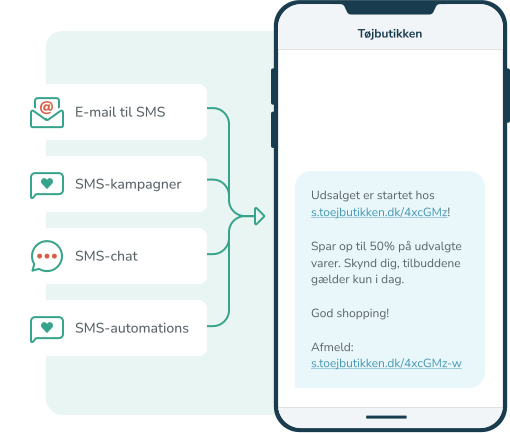
SMS marketing opens up a world of possibilities for how you can leverage the SMS channel. For example, would you like to send an automatic SMS message to new members of the customer club? Should the recipient be able to reply back to your message? And do you prefer to write your SMS messages in your mail system and send them from there?
It is all possible with SMS communication in InMobile.
- SMS chat
- Email to SMS
- SMS automation
- SMS Campaigns
Why RCS marketing?
At inMobile, we want to be your preferred RCS provider. We listen to your needs, and we optimise our platform continuously to give you the strongest possible foundation.

High open rates
RCS lands directly in the customer's messaging app, where 98% of all messages are opened, ensuring your messages receive maximum attention.

An updated message experience
With images, video, and buttons, you provide customers with a modern and inspiring messaging experience that stands out in the messaging app.

Personalised experiences
When you combine your own data with RCS’s visual format, you can send messages that meet each customer's individual needs and behaviour.

Visual messages
Make your campaigns more effective by showing products, images, and offers directly within the message, so customers can instantly understand the value.

Verified sender
With a verified and branded RCS agent, customers can clearly see that the message comes from you. This increases both trust and engagement.

Broad reach
With a mobile phone in most customers’ pockets, and RCS sent directly to the recipient’s messaging app, you reach virtually everyone in your target audience with RCS.

High engagement
Visual elements and clickable CTAs make it easier for customers to respond. This typically results in significantly higher engagement and conversion rates.

SMS fallback
If a customer cannot receive RCS messages, no problem. At inMobile, you can choose to send an SMS as a fallback if the RCS message can’t be delivered.

Measurable performance
RCS gives you insights into open rates, clicks, and customer behaviour so you can continuously optimise your campaigns and get more out of each campaign.
Get more out of your messages. Try RCS free for 14 days.
Create your account and see how RCS can boost your campaigns, accelerate sales, and create stronger customer experiences — directly in the messaging app.
Make your campaigns visual
With RCS, you can create campaigns where products, prices, and offers are presented with images, videos, GIFs, and clear CTA buttons directly inside the message.
This makes it easier for customers to quickly understand your message and take action—without opening their email inbox or searching your site.
- Showcase sales, campaigns, and new collections with product images, prices, and clear CTAs so customers can respond directly within the messaging app.
- Use segmentation to target your RCS campaigns to, for example, previous buyers, VIP customers or by interests, making your offers more relevant.
- Combine campaigns with automated follow-ups — for example, an RCS flow reminding those who have browsed but not yet purchased.

Send messages at exactly the right moment
Automated RCS flows make it easy to deliver relevant, personalised and visually strong messages exactly when the customer is most likely to act.
Whether it's welcome flows, follow-up on product interests, or repurchases, RCS makes it all a bit more enjoyable and engaging.
- Create automated RCS flows with images, buttons and personalised content that help customers move forward in their journey the moment an action triggers the flow.
- Use your own customer data to target automations such as “welcome”, “first purchase”, “back in stock” or “time to repurchase” – and make the experience relevant for each recipient.
- Add interactive elements so customers can choose, reply, or click directly within the flow, and use the data to continuously improve your automations.
(Note: This feature is not yet supported, but is currently in development — stay updated on RCS here.)


Bring your conversations to life
With RCS, you can make customer conversations more visual, guiding and intuitive. Customers can ask questions, choose from response options or click through to landing pages within the messaging app.
You can send automated replies or forward the conversation to customer service. This creates a faster, more personal and reassuring experience, both before and after a purchase.
- Use RCS to answer questions about products, delivery or returns with visual elements, quick reply options and relevant links.
- Help customers make decisions with buttons such as ”View size”, ”Colours”, ”Materials” or ”Delivery” giving them the information they need instantly.
- Create smoother conversations about delivery updates, return guidance or onboarding within the same RCS thread.
(Note: This feature is not yet supported, but is in development.)

Offer your best customers something extra
RCS makes it easy to delight your most valuable customers with exclusive offers, early access and personalised recommendations.
The visual formats and clickable CTAs make VIP communication more inspiring and help your top customers feel seen and prioritised.
- Send VIP offers, early-access launches or product releases using video, GIFs, images and buttons - giving your top-tier customers a next level experience.
- Use your customer data to segment and identify VIP groups such as repeat buyers, high-order-value customers or members of your loyalty club.
- Make it effortless for VIP customers to take action with CTAs such as “Buy now”, “First come, first served” or “Reserve product”, helping boost both sales and loyalty.

Create strong customer journeys with an RCS integration





Create hype and showcase new products
RCS makes it easy to create hype and attention around new products, colours or collections. Because you can add images, videos and clickable CTAs in the message, customers can experience the news immediately – and react as soon as interest arises.
- Show your product launches with images, videos or carousels so customers get a clear first impression without needing to click through elsewhere.
- Use segmentation to target launches to the right segments - for example previous buyers or customers who have shown interest in specific categories.
- Add CTAs such as “View new arrival”, “Buy now” or “Pre-order”, enabling customers to take action immediately and making the path to conversion short and frictionless.

Bring customers back to the cart
With RCS, you can make your abandoned cart flows even more effective by showing the exact products left behind - directly in the message - along with a one-click button that takes the customer straight back to their basket.
This turns a forgotten purchase into an easy, inspiring touchpoint.
- Show the abandoned product with images, prices and a clear “Continue purchase” button, so customers can reopen their cart instantly.
- Use segmentation to tailor your abandoned cart messages based on order value, previous behaviour or loyalty status.
- Add value elements such as delivery times, variants or alternatives to give customers an extra reason to complete their purchase.
(Note: This feature is not yet supported, but is in development.)

More about RCS marketing
FAQ: RCS marketing
RCS marketing consists of visual and interactive messages sent directly to the customer’s messaging app — the same place as SMS. But instead of sending plain text, you can also include images, video, GIFs, carousels and clickable buttons that make your communication more dynamic and make it easier for customers to interact with your message.
It is the latest development within mobile communication — and its marketing potential should not be underestimated.
RCS marketing allows you to create more engaging campaigns because your message becomes visual, clickable and far more inspiring than traditional text messages. You can showcase products directly in the message, make it easy for customers to act using CTA buttons and increase trust with a verified sender.
The result is typically higher engagement, better click-through rates and a much shorter path from interest to purchase.
You use RCS marketing through an RCS platform such as inMobile.
You use RCS marketing through an RCS platform such as inMobile. Create your visual RCS campaigns in inMobile’s RCS editor - just as you would when creating an SMS or email - and choose “send now” or schedule your message for later. inMobile makes sure your RCS marketing messages are delivered on time and to the right recipients.
You collect RCS permissions in the same way as you collect other permission marketing consents (e.g. for email or SMS). This means you must have the customer’s active consent to send marketing messages to their mobile number. You can ask for this, for example, at checkout or via pop-ups on your website.
Note. If you are unsure, you should always check the current marketing regulations in the area or consult a legal expert.
The cost of RCS marketing with inMobile varies depending on how you use the message format.
See inMobile's RCS pricing or email sales@inmobile.com for a tailored quote based on your specific needs.
Verified branding means your business must be approved as a sender before you can send RCS messages. With this approval you get a so-called RCS Agent. Once verified, your brand name, logo and verification badge are displayed directly in the message thread It increases both credibility and trust in the inbox.
It also makes it clear to the recipient that the message comes from an official sender - and significantly reduces the risk of your messages being perceived as spam.
SMS marketing consists of short text messages with limited formatting options, while RCS marketing allows you to send visual messages with images, video, buttons, carousels and much more.
Both channels are powerful marketing tools because messages land directly in the recipient’s messaging app — and only to people who have given consent.
SMS is universal and works on all phones, whereas RCS allows you to present your content in a more visual and inspiring way. In practice, the channels work best together, as not all devices support RCS yet — which is why SMS should automatically serve as fallback where needed.
You get started by creating an account with an RCS provider such as inMobile. Once your account is created, you will need a verified RCS agent, and inMobile will help you with this.
When your RCS agent is verified, you are ready to set up your first RCS test in inMobile’s RCS editor. In fact, your first RCS campaign can be live within just a few days.
With inMobile, you can choose SMS to work as a fallback for RCS.
This means that if the recipient’s device does not support RCS, the message is automatically sent as a standard SMS instead. That way, you still reach your entire audience — including those who cannot receive RCS yet.
Yes. RCS marketing requires the same active consent as SMS and other permission-based marketing channels. This means the recipient must have given you permission to send marketing messages to their mobile number.
If you are unsure about the rules, you should always check the current legislation or consult a legal expert.