Bulk SMS
With bulk SMS, you can send one message to thousands of recipients at the same time. It is an efficient way to reach customers, users or employees in seconds — straight to their mobile phones.

What is bulk SMS?
Bulk SMS means sending the same SMS message to many recipients at once. Instead of writing to each person individually, you can create your message in inMobile and send it to entire recipient lists in seconds — or send bulk SMS from your own system via inMobile's SMS API.
Bulk SMS is often used for marketing campaigns, service messages, notifications or internal communication, where many people need to receive the same information at the same time. With a bulk SMS solution, you can manage your campaigns and make sure they are sent at the right time to the right recipients.

Send SMS to thousands of recipients
Segment your recipient lists
Schedule messages
View delivery reports







Why use bulk SMS?
When you need to communicate with many recipients at the same time, you typically do so through a professional SMS gateway. Speed and delivery reliability are crucial. With bulk SMS — or group SMS — you can reach your entire audience in seconds and make sure important information gets delivered.
An SMS lands directly on your recipient's phone, where 95% of all messages are opened within a few minutes. That means you can be confident your message will be seen quickly.
Bulk SMS is therefore an effective channel when many people need to receive the same message at the same time. This could include marketing campaigns, service messages, operational updates or internal communications.
Ready to send bulk SMS?
Create a trial account and send your first bulk SMS in minutes.
Or book a meeting with one of our specialists to learn more about how you can use bulk SMS.
How to send bulk SMS
#1 Create or import recipients
Before you can send bulk SMS, you need to create a recipient list. You can do this by adding contacts manually or by importing a list of mobile numbers from, for example, a spreadsheet or a CRM integration.
Once your recipients are created, you can organize them into different lists and segments. That way, you can easily choose exactly which people should receive your message.

#2 Write your SMS message
Once your recipients are selected, it's time to write your SMS. A good SMS is short, clear and has one clear message — for example, an offer, a reminder, or an important update.
You can also personalise the message with the recipient's name or add a link to a campaign, booking page or landing page using the link tracking feature. This makes the message feel more personal and increases the likelihood of a response.

#3 Send now or schedule your messages
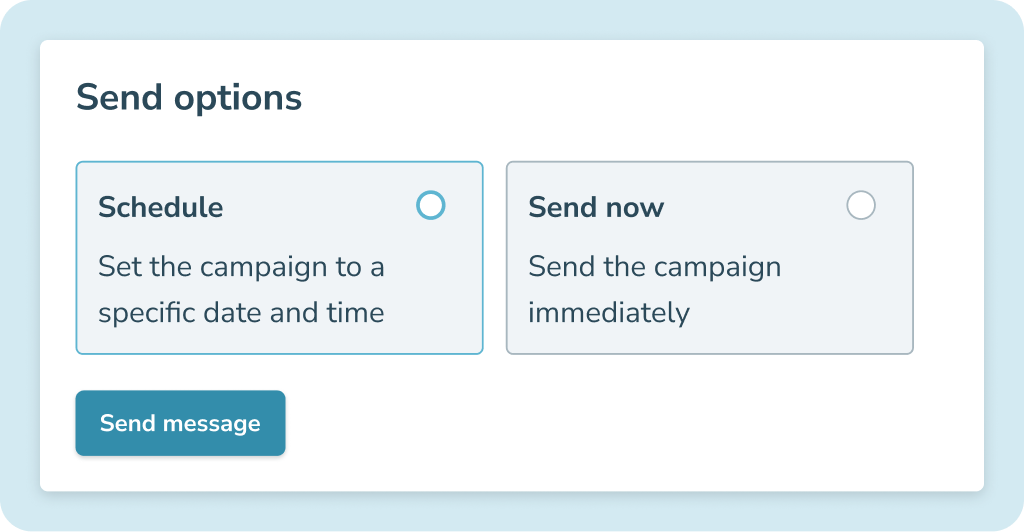
Once your message is ready, you can send it immediately or schedule it for a specific time that suits you.
Scheduling makes it easy to time your SMS messages so they are sent exactly when it makes the most sense — for example before an event, at the start of a campaign, or as a reminder to your recipients.
Unlock new possibilities with innovative integrations


What can you use bulk SMS for?
SMS marketing
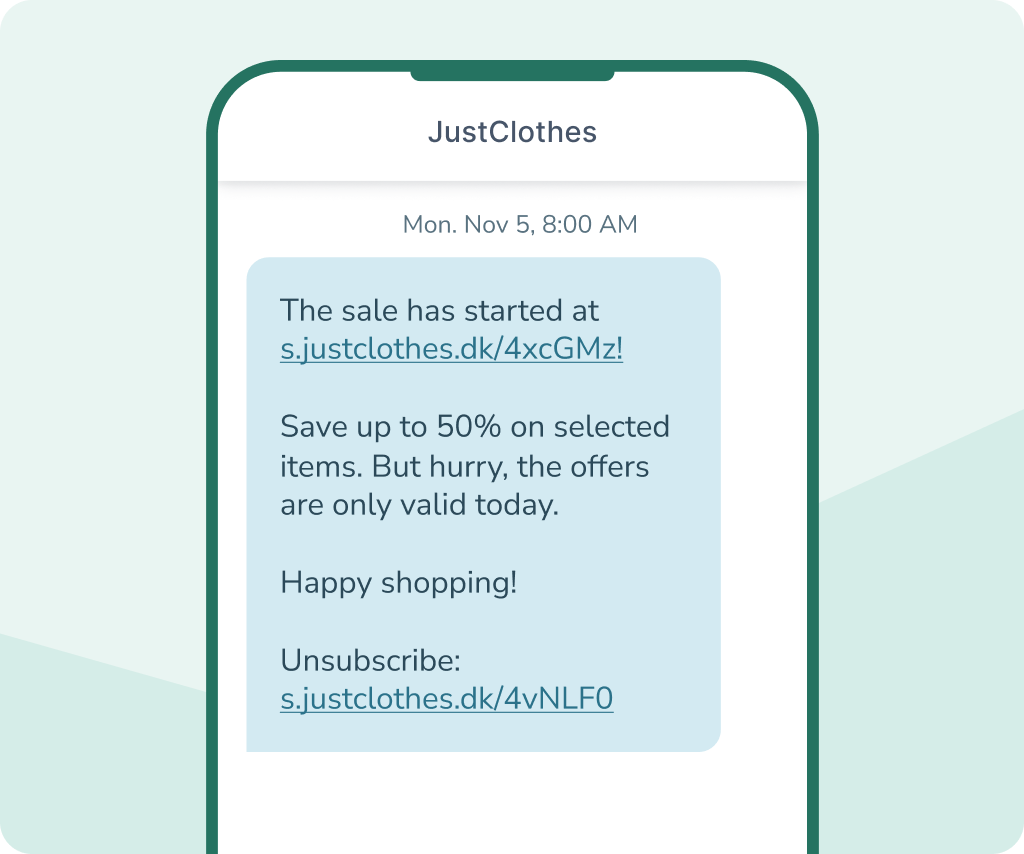
Bulk SMS is an effective channel for marketing campaigns when you want to reach many customers quickly. This could be for sales, product launches, events, or sharing a discount code with your customer club.
With bulk SMS, you can send campaigns to entire customer lists or selected segments based on, for example, purchase history, interests or behaviour. This makes your messages more relevant to the recipient.
Many companies use SMS as a supplement to other marketing channels, where a short, direct message can create extra attention and drive traffic to your webshop, booking page or landing page.
Service messages
Bulk SMS works well for service messages when many recipients need to be informed at the same time. This could include changes to opening hours, operational updates, system updates, or other important information for customers and users.
With bulk SMS, you can quickly send the same message to all relevant recipients and make sure the information reaches them in time. This makes SMS especially useful for messages where timing and clarity matter.
Many companies therefore use SMS to keep customers and users up to date with important information — without having to contact each recipient individually.
Internal communication
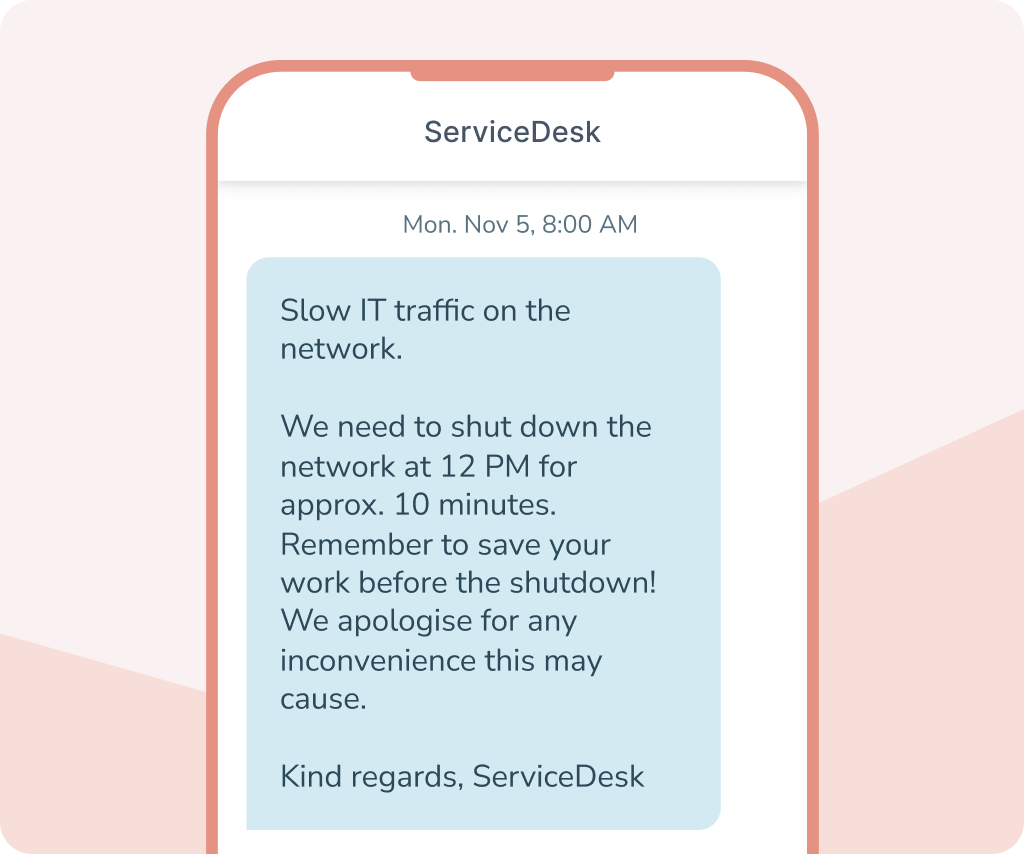
Bulk SMS is also useful for internal communication in companies where employees need to receive the same message quickly. This could include changes to shift schedules, operational updates, or short updates for specific teams or departments.
Bulk SMS lets you reach employees directly on their mobile — even when they're not sitting at a computer or don't have access to internal systems. This makes SMS an effective channel in organizations with employees on the go.
Many companies in sectors such as retail, logistics, manufacturing and services use SMS to make sure important internal information is seen quickly by the right employees.
Notifications
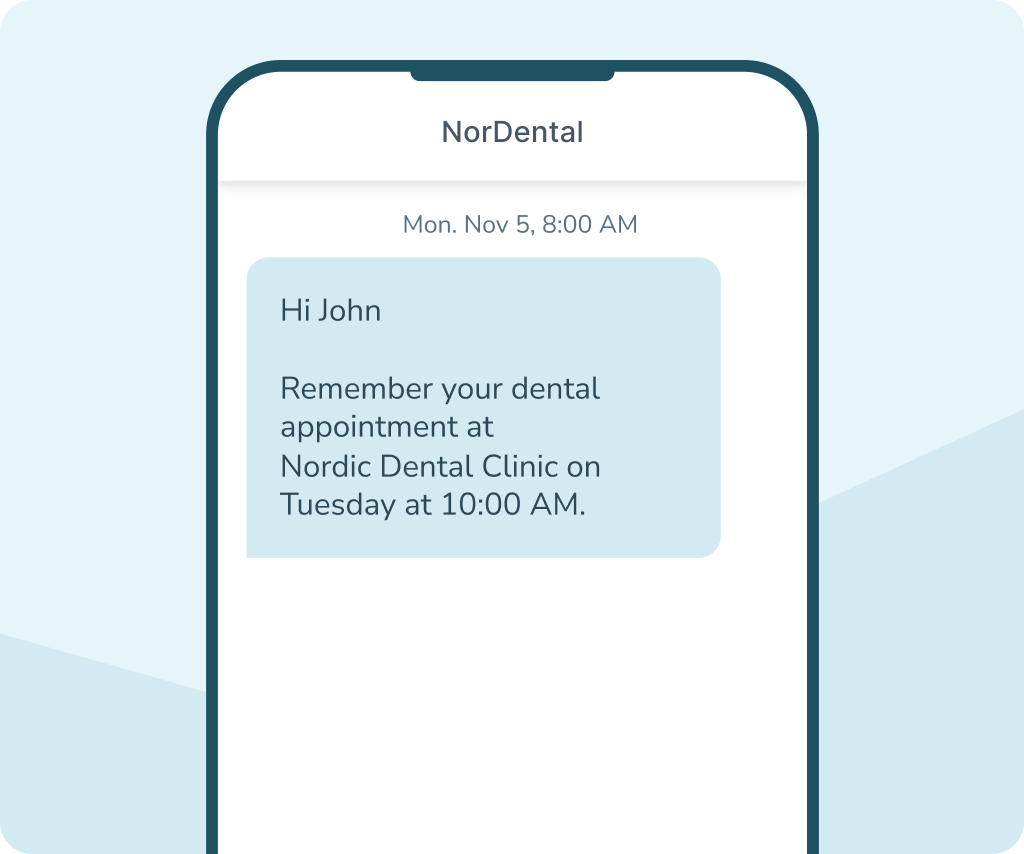
Many companies use bulk SMS for notifications and automatic messages. For example, these can be appointment reminders, status updates, or notifications about changes to an order or booking.
When a notification is sent as SMS, the message is delivered directly to the recipient's mobile, where it is typically opened within a few minutes. This makes the channel suitable for messages that need to be delivered quickly and are easy to read immediately.
Bulk SMS can also be integrated with the company's existing systems via inMobile's SMS API, so notifications are sent automatically when specific events occur. This also makes bulk SMS an effective solution for automated communication.



Why choose inMobile?
99.998% uptime
24/7 on-call support
Hosting in the EU
GDPR compliant
+300 million
+35,000 users
Bulk SMS features
When sending SMS to many recipients at once, it is important to have features that give you control, visibility and flexibility. With inMobile, you get a platform that makes it easy to manage both small and large sends.


Segmentation
Divide your recipients into audiences based on data about behavior or interests, and send relevant messages to the right recipients.

SMS templates
Save and reuse your most-used SMS messages as templates. This saves time and ensures consistent communication across channels.

Schedule messages
Schedule your SMS messages to be sent at a specific time. This makes it easy to time campaigns, reminders or important messages.

Delivery reports
See whether your SMS messages have been delivered. Delivery reports give you insight into the status of your messages.

Custom sender name
Choose which name or number your SMS will be sent from. This makes it easier for the recipient to recognize you as the sender.

Automation
Set up automatic SMS messages based on events or workflows. This makes it possible to send messages without manual effort.

Integrations
Integrate SMS with your existing systems, such as your CRM, webshop or marketing platforms, and make SMS a natural part of your workflow.

Link tracking
See who clicks the links in your SMS messages. This gives you insight into engagement and helps you measure the impact of your sends.

Two-way SMS
Give recipients the opportunity to reply to your messages. Turn SMS into a dialogue-based channel where you can communicate with your recipients.
Bulk SMS pricing
Bulk SMS pricing depends on how many messages you send and which countries you send them to. With inMobile, you pay a low monthly fee for full access to the platform and all features, including unlimited contacts and users.
In addition, you pay per SMS sent, with pricing that varies by country. This means you can send bulk SMS to both smaller and larger recipient lists within the same solution.
See inMobile's current pricing below or contact us for a quote.
- SMS to +200 countries
- Access to all features
- Unlimited number of contacts and users
- Free email, phone and chat support
- 24/7/365 on-call support
FAQ: Bulk SMS
Bulk SMS means sending the same SMS message to many recipients at once. The message is sent either via an SMS API or from an SMS platform where you can select your recipient lists, write your message and send it to your entire audience in seconds.
It depends on the SMS platform you use. With a professional solution, you can send to thousands of recipients in a single send. The platform automatically handles delivery to all recipients.
Most bulk SMS messages are delivered within seconds. Delivery times may vary slightly depending on mobile network and country, but messages are typically delivered very quickly after sending.
Yes. In inMobile, you can personalise your messages with, for example, the recipient's name or other data from your contact list. This makes each message feel more personal.
Yes. You can schedule your bulk SMS messages to be sent automatically at a specific time. This is useful for campaigns, reminders or internal messages that need to be written now but sent later.
Yes, you can. inMobile supports international SMS to +200 countries, so you can send messages to recipients around the world from the same platform.
Recipients can be imported via a file, for example from Excel or a CRM system. You can also create contacts manually or synchronise recipients via integrations.
Yes, provided SMS is used correctly. As a business, you need to ensure that you have legal consent or another valid legal basis for sending messages to recipients, and that personal data is processed in accordance with GDPR.