RCS for e-commerce: How online retailers can use RCS to increase engagement and sales


RCS gives online shops a new way to communicate with customers directly on mobile phones. Instead of plain text messages, you can send visual messages with images, carousels, buttons and other interactive elements directly in the customer's messaging app.
In this article, we look at how RCS marketing can be used effectively in e-commerce, which use cases work particularly well and how to get started.
Not sure what RCS is? Start with the article: What is RCS?

RCS opportunities for online shops
For a online shop, mobile communication is all about timing, visibility and relevance. RCS brings this together in one format that is visual, interactive and clearly branded.
Where traditional SMS messages are limited to text and links, RCS allows you to present your content with images, video, carousels, buttons and more. This makes it easier to present products, generate interest and guide customers through the buying journey.
This means that the messages don't just act as quick notifications, but more like a little experience in the customer's messaging app.
In short: RCS makes mobile communication more visual, more direct and easier to act on.
Visual messages in the messaging app
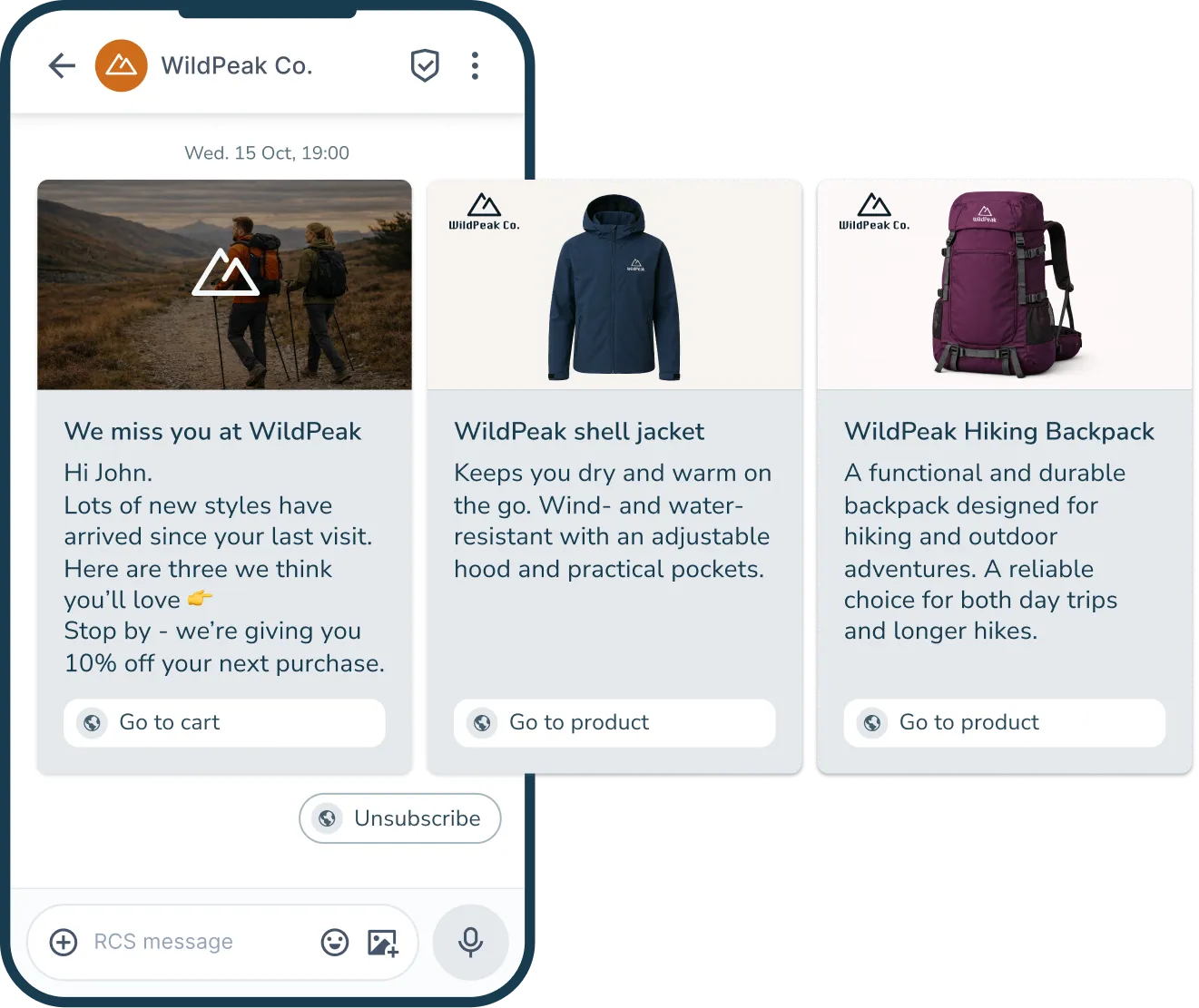
With RCS, you can showcase your products directly in the mobile message through images and video. You can even add more elements and make carousels. This makes it easier for the recipient to get an impression of your products before they click through to the online shop.

Interactive elements
RCS allows you to use buttons, quick replies and other interactive elements. This makes it easy for the customer to take the next step - such as viewing a product, going to a category or getting more information - with just a few clicks.
Verified sender and branding
When you send RCS messages, it is done via a verified sender profile - an RCS agent - with brand name, logo and a verification badge. This makes it clear to the recipient who the message is coming from, increasing both recognition and trust.

Curious to learn more?
Download inMobile's RCS Handbook - Your guide to the future of marketing messaging.
Use cases: 7 ways an e-commerce business can use RCS
RCS can be used in many parts of a online shop's marketing and customer journey. It's often not about inventing completely new activities, but about enhancing existing campaigns and flows with a more visual and interactive format.
Here are seven use cases where RCS can create value for e-commerce in particular.
#1 Promotions and sales
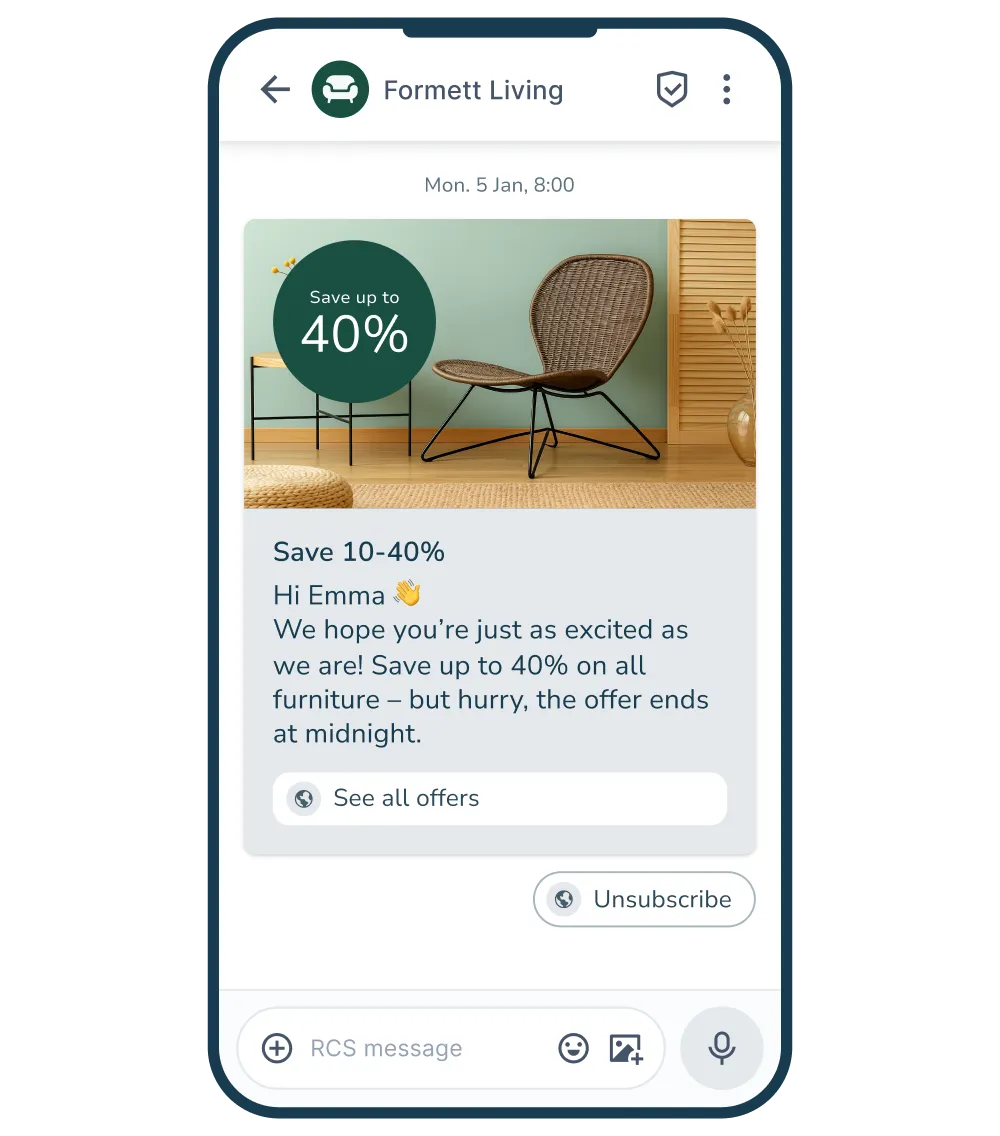
Promotions and sales are an obvious place to use RCS. Instead of a plain text message with a link, you can display products directly in the message, highlight discounts and use buttons to take the customer to the online shop.
This makes it more fun and easier for the recipient to decode the offer and respond to it.
#2 Product launches
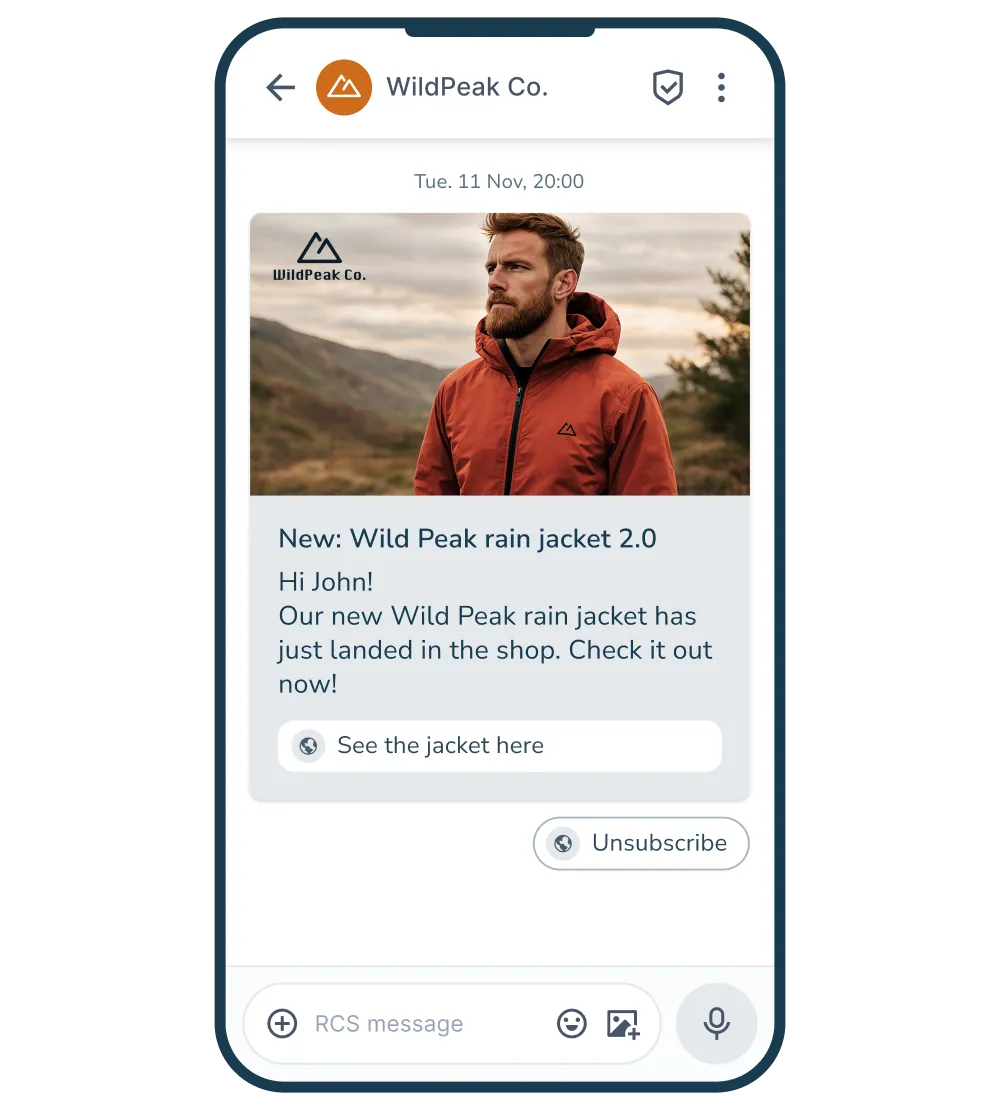
When you launch new products, it's often about creating awareness and curiosity. With RCS, you can present the news visually, for example through a video or a carousel with several products.
This gives the customer a quick overview and makes it easy to explore the products directly in the message.
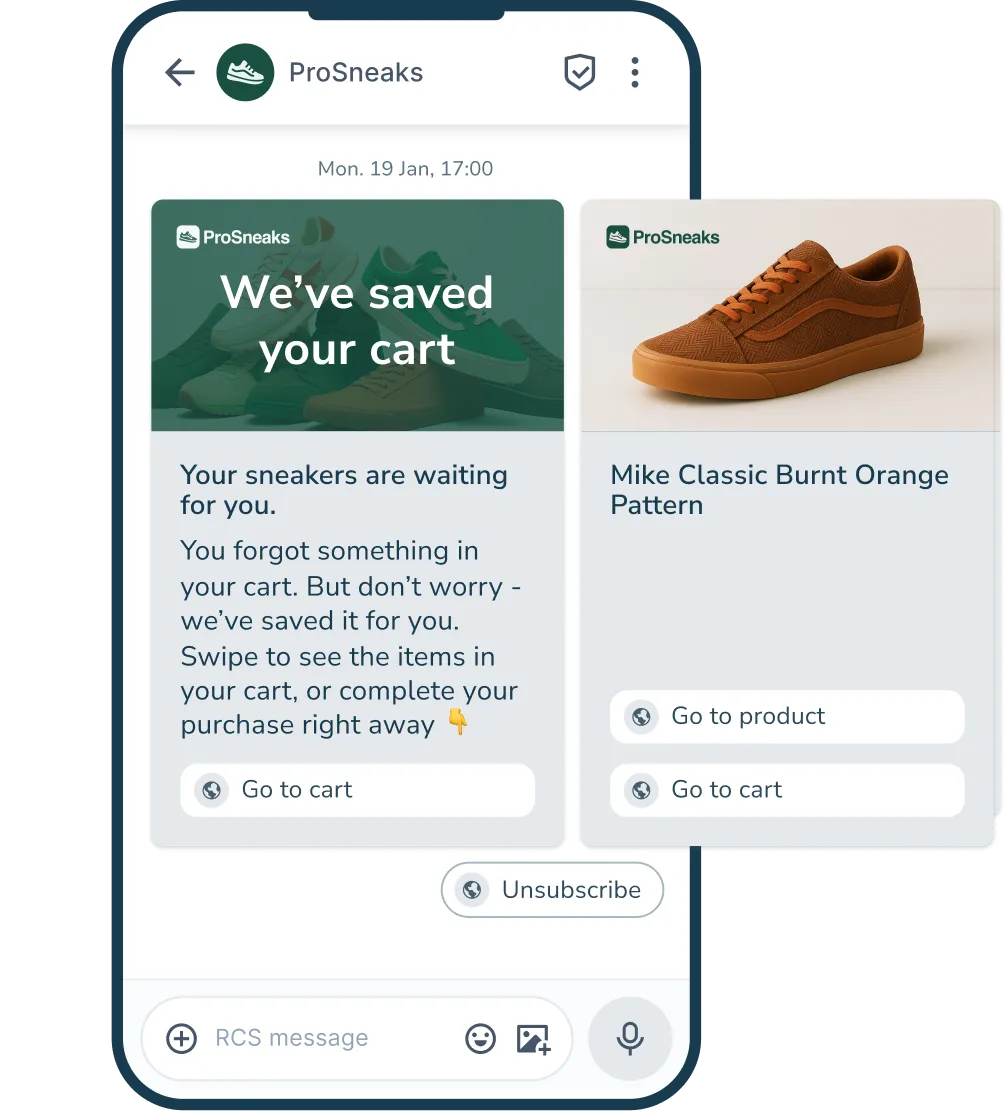
#3 Abandoned basket
When a customer abandons a full basket, a reminder can be enough to bring them back. With RCS, you can display the basket contents in the message and make it easy to return to checkout with one click.
The visual element helps remind the customer of the product they have already shown an interest in.
#4 Back-in-stock
Back-in-stock messages hit the customer at just the right time: when a product they have previously shown interest in is available again.
With RCS, you can display the product directly in the message and make it easy for the customer to remember their interest and complete the purchase.

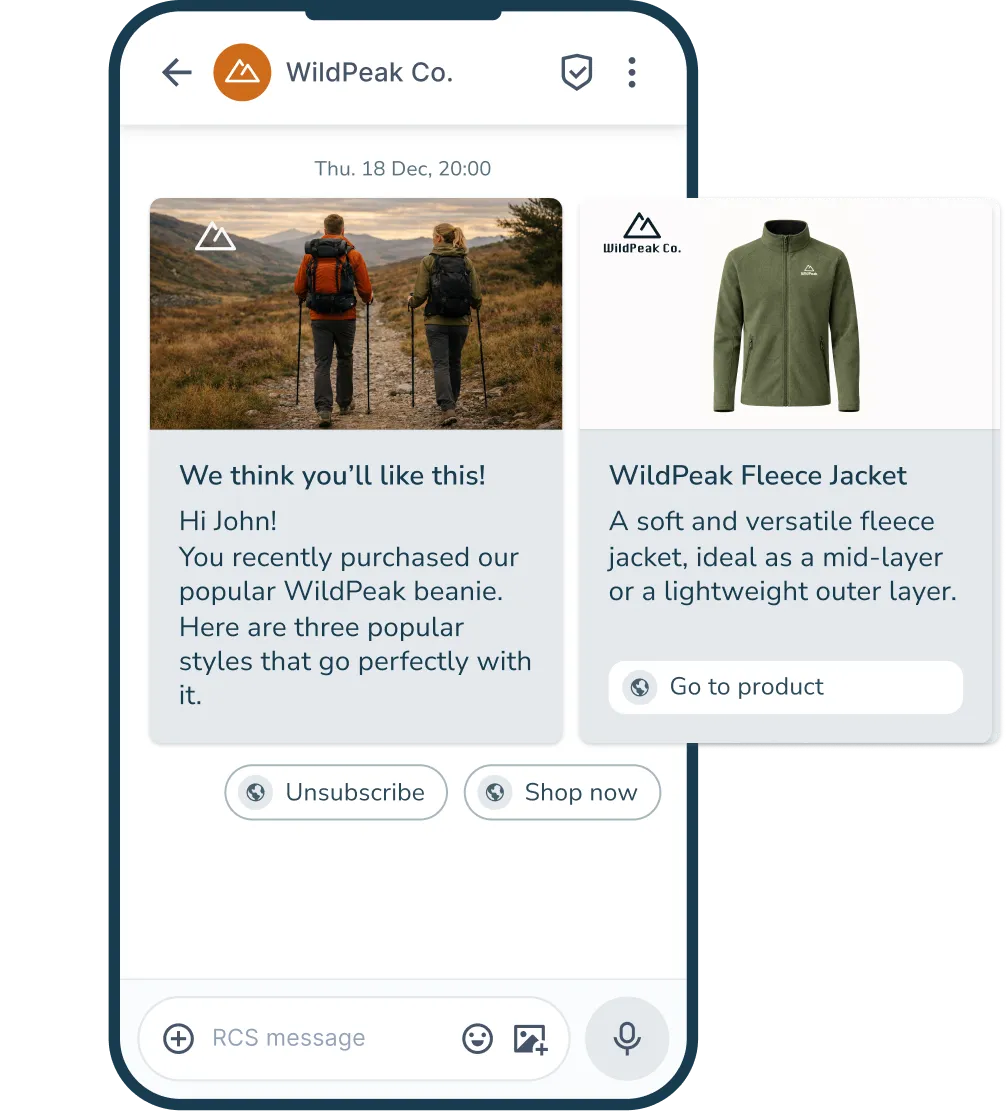
#5 Cross-sell
RCS can also be used to recommend products that match the customer's previous purchases. By showing relevant and related products in the message, you can inspire the customer and make it easy to discover new items.
It can be accessories, matching styles or other products from the same category.
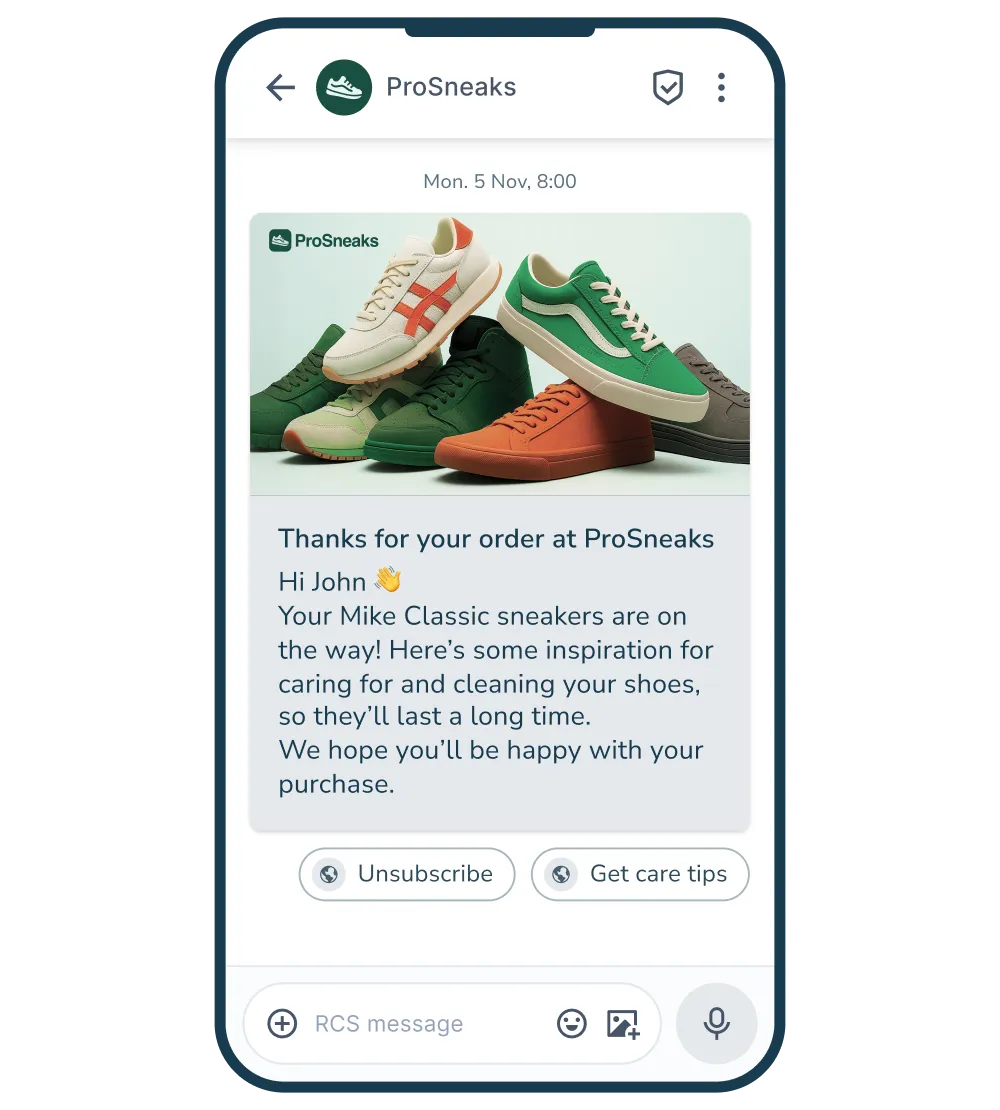
#6 Post-purchase
After a purchase, RCS can be used to follow up with useful information, inspiration or offers. This could be product guides, care tips or an invitation to write a review.
These types of messages can help strengthen the relationship with the customer and increase the likelihood of a repeat purchase.
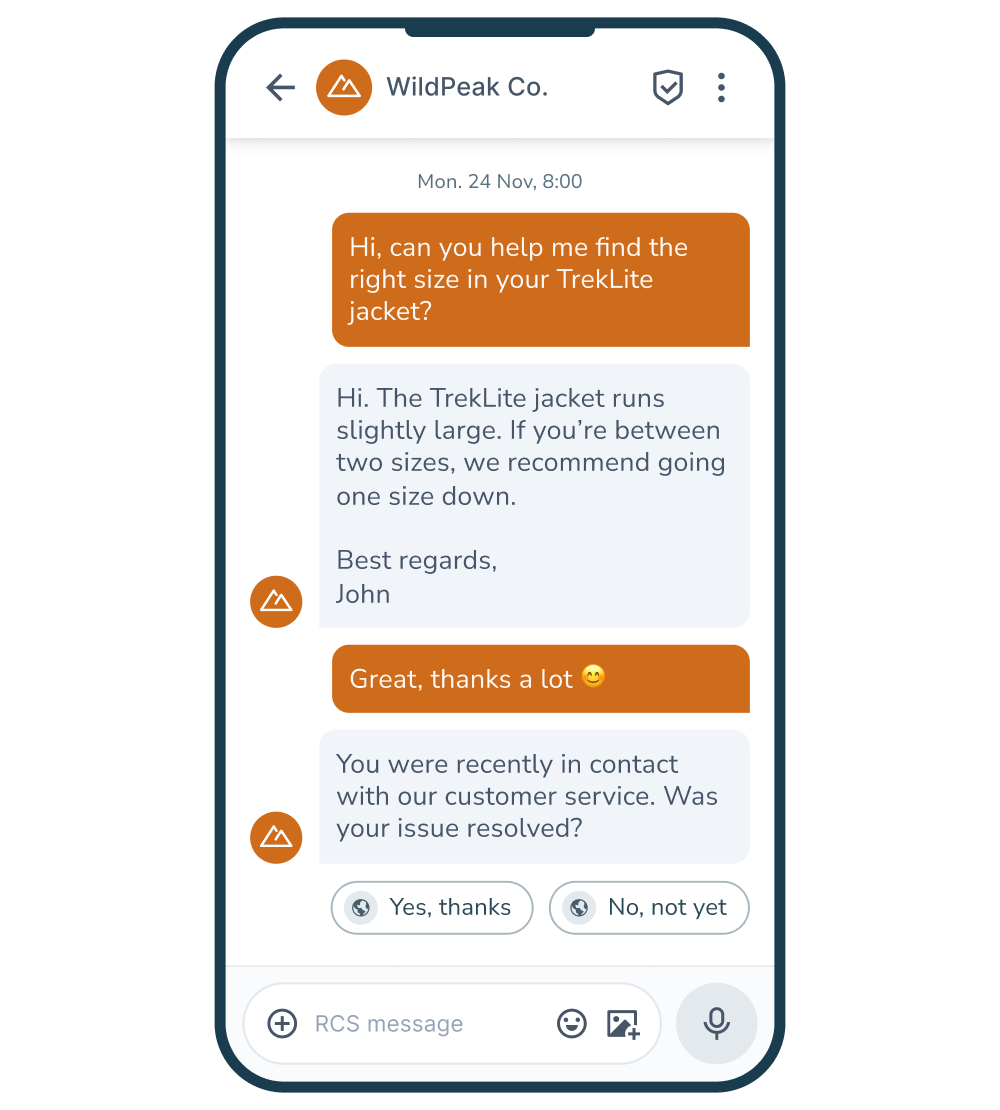
#7 Dialogue and customer service
With RCS, you can enable two-way conversations and have a dialogue with your recipients directly in the message thread. Customers can ask questions, select automated response options or be guided to customer service.
This can help reduce friction in the buying process and create a smoother customer experience.
RCS in automated flows
As you can see from the seven use cases, RCS works well both for campaigns and as part of automated flows where messages are sent based on customer behaviour.
If you want to use RCS for automated messaging, all you need to do is integrate inMobile with your shop or marketing system so that your data from there can be used to activate the flow and send messages at exactly the time when they are most relevant to the customer.
This could be when a customer abandons a basket, when a product is back in stock, or when a previous customer has not shopped for a while. RCS can be used to display relevant products directly in the message and make it easy for the recipient to return to the online shop.
For many online shops, it's therefore not about inventing completely new flows, but about connecting RCS to the automated customer journeys that already exist today. When timing, data and visual messages work together, communication becomes both relevant and actionable.
Best practice: How to get the most out of RCS
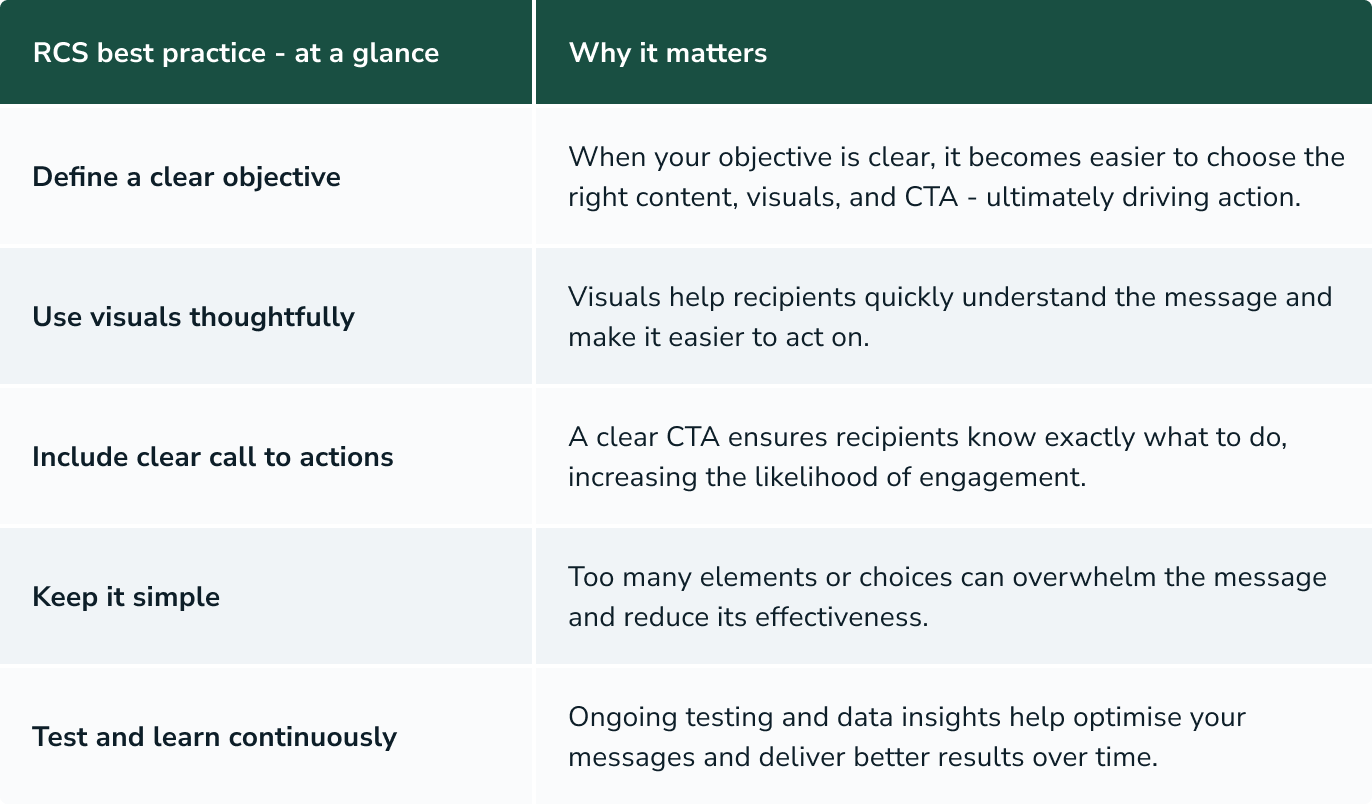
Getting the most out of RCS is not about using all features at once, but about using the format correctly. The best results typically come when the message is simple, relevant and clear to the recipient.
Here are some basic principles to help you get started.
Have a clear purpose
Each message should have a clear purpose. For example, it could be to sell a specific product, get the customer back to the basket or invite to an event. Once the purpose is clear, it becomes easier to choose content, visuals and CTAs.
Use visuals wisely
Images and carousels are often the first thing the recipient sees. Therefore, your visual should be quick to decode so the recipient understands what the message is about. Avoid using visuals as mere decoration. Instead, let them support the message.
Make the next step clear
A message works best when it's clear what you want the recipient to do. Use a clear CTA that guides the customer to a product, category or checkout, for example.
Keep it simple
It can be tempting to use many elements in one message, but this doesn't necessarily lead to better results. Instead, too many choices or too much content can make the message confusing. A clear direction often works best.
Test and learn continuously
There is no one right way to use RCS. Test different variations of content, visuals and timing and use your results to understand what works best for your target audience. Small adjustments can make a big difference over time.
How to get started
You don't need a complex setup to get started with RCS. For most online shops, it's all about building on what's already working today and building from there.
Start with one campaign or flow you know. It could be a sale or a lost basket where you test how RCS works in practice. This makes it easier to measure impact and gain experience with the format.
In order to send RCS messages, you must first and foremost have a verified RCS agent and in addition, your recipients must have given consent to receive mobile communication. Next, you need access to a system that can send your RCS messages.
Once that is in place, you can start sending RCS messages to recipients whose phones support the format. From there, it is about sending, testing and learning. Try different variations of RCS messages, monitor your results and gradually build on what works best.
Get started with RCS in 5 simple steps:
- Create an RCS agent.
- Collect consent.
- Use RCS for one campaign or flow.
- Look at your results.
- Test and build on what works.
You don't need to have everything in place from the start to get value from RCS. The most important thing is to get started and start working with the format in practice.
Once you've sent your first messages and seen how customers respond, it becomes much easier to assess where RCS adds the most value to your business - and how best to build from there.
FAQ: RCS for e-commerce
Online stores can use RCS for both campaigns and automated flows. Examples include sales, product launches, lost basket, back-in-stock messages and product recommendations. Visual elements and clickable buttons make it more fun and easier for customers to understand the message and take action directly from the messaging app.
To get started with RCS, you need access to a platform that can send RCS messages, as well as mobile numbers and consent from your customers. You also need to create a verified RCS agent.
Many online retailers can build on their existing setup and start by adapting an existing campaign or flow. The RCS message can be sent to recipients whose phones support the format.
Yes, you need customer consent to send RCS marketing messages. The rules are similar to those for SMS and email. This means that consent must be voluntary, informed and actively given and that the customer must always be able to unsubscribe.
If the recipient’s phone or mobile operator does not support RCS, the message can be sent by SMS instead. This is known as a fallback and allows you to continue reaching your recipients with your message, even when RCS is not supported.
An RCS agent is created via your RCS provider (e.g. inMobile) and must be authorised before you can send messages. In the process, your company is verified and you add your brand name, logo and colours to your RCS "profile". Once the agent is approved, you can send RCS messages from a verified and branded sender.
Yes, RCS can be used in automated flows that are initiated based on customer behaviour. For example, lost basket, winback or post-purchase flows. When RCS is combined with data from your online store, messages can be sent at the right time with relevant content that increases the likelihood of action.
